Login to Y888 Game
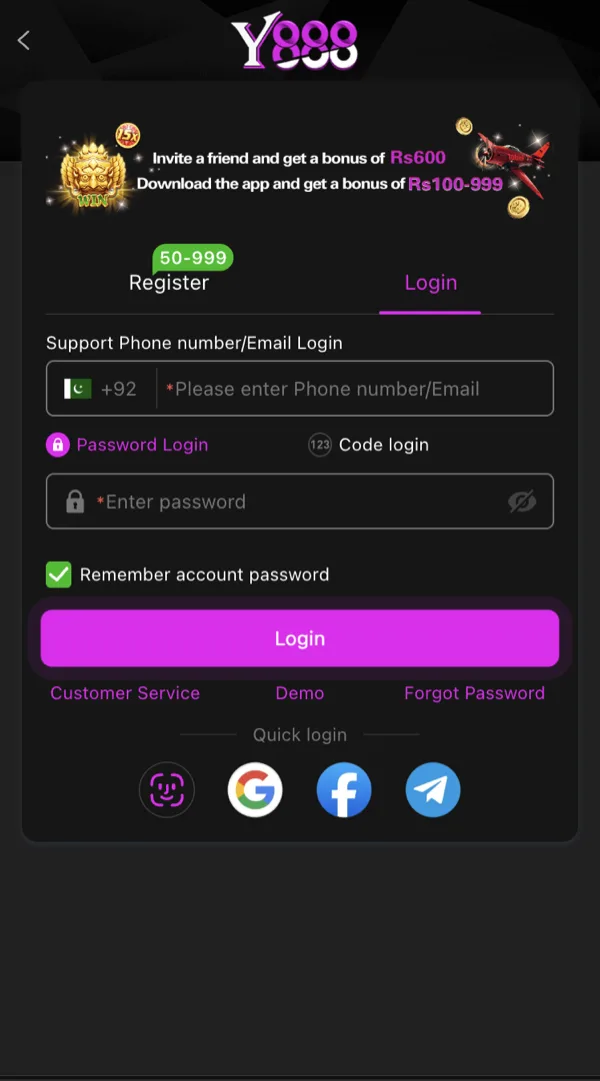
The Login tab sits right next to Register on the same screen, so returning players don't have to look far. No account yet? Head to register first.
Step-by-Step Login
Forgot Your Password?
Tap "Forgot Password" on the login screen, enter the phone number or email tied to your account, and request a reset code. Enter the code when it arrives, then set a new password - it needs to clear the same strength check used at registration.
If you no longer have access to your registered number or email, this is exactly where a bound Google, Facebook or Telegram account pays off - it gives you an alternate way back in without needing OTP delivery to an inbox you can't reach.
Logging In With a Bound Social Account
If you linked Google, Facebook or Telegram during registration, the login screen offers those as one-tap alternatives to typing your password. This is mainly a convenience feature for return visits rather than a replacement for remembering your primary credentials.
Common Login Problems
"Incorrect password" on a password you're sure is right: check for autocorrect or a leading/trailing space added by your keyboard, and confirm Caps Lock isn't on.
Account not found: double-check you're entering the exact number or email used at signup - a typo in the country code or a switched SIM is a common cause.
Login page not loading: usually a connectivity issue rather than an account problem. Switch between Wi-Fi and mobile data and retry.
Logged out unexpectedly: can happen after an app update or a long period of inactivity - just log back in as normal, your wallet balance is unaffected.
Logged In?
Head to deposit to fund your wallet, or browse the full game list if your balance is already set.